


Crumbr
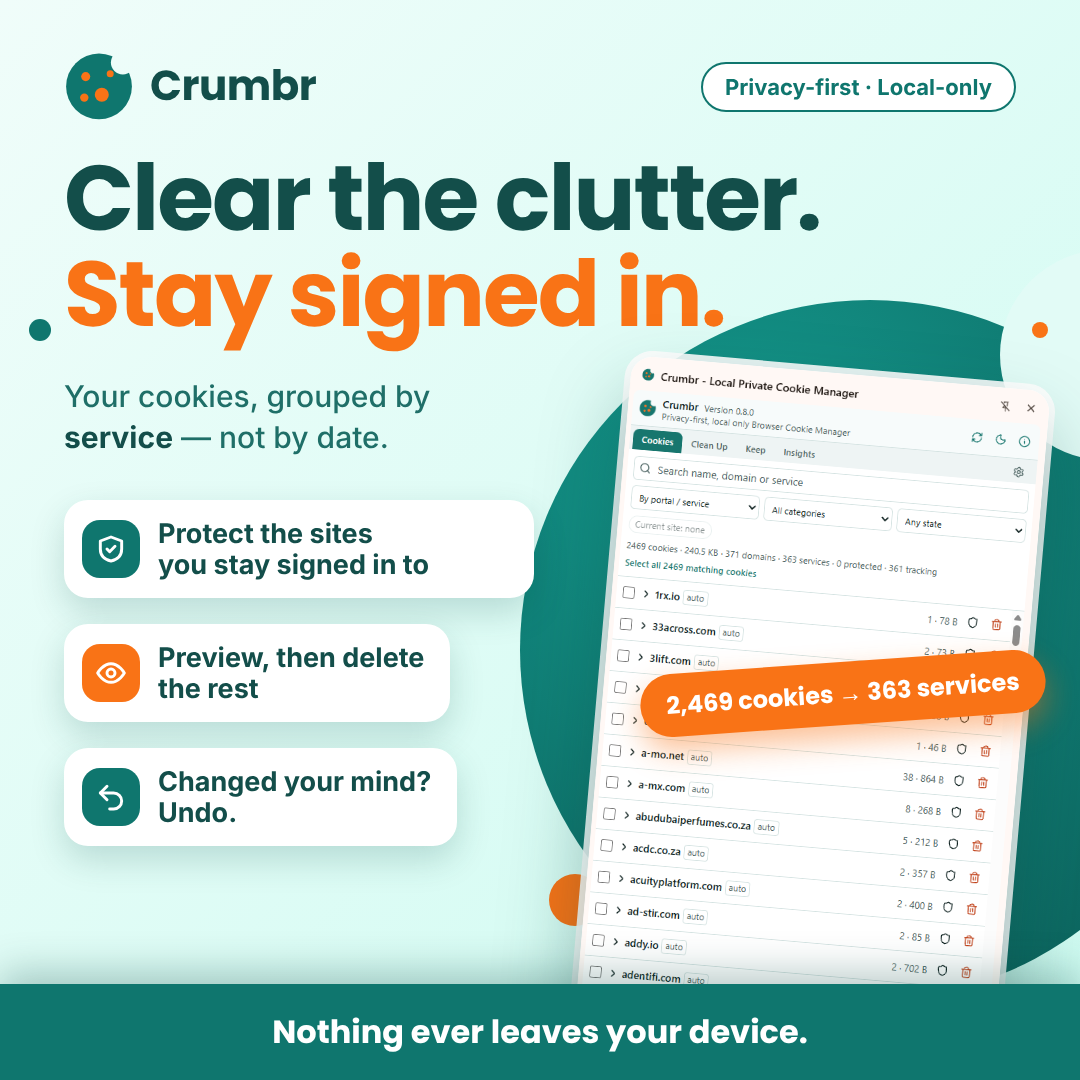
Privacy-first, local only Browser Cookie Manager Crumbr is a privacy-first, local-only cookie manager. It groups your browser cookies by service instead of by date, so you can protect the sites you want to stay signed in to, preview and delete the rest, and undo within a short window. Nothing ever leaves your device.
Free · Crumbr
Overview
Clear the cookie clutter without signing out of the services you care about.
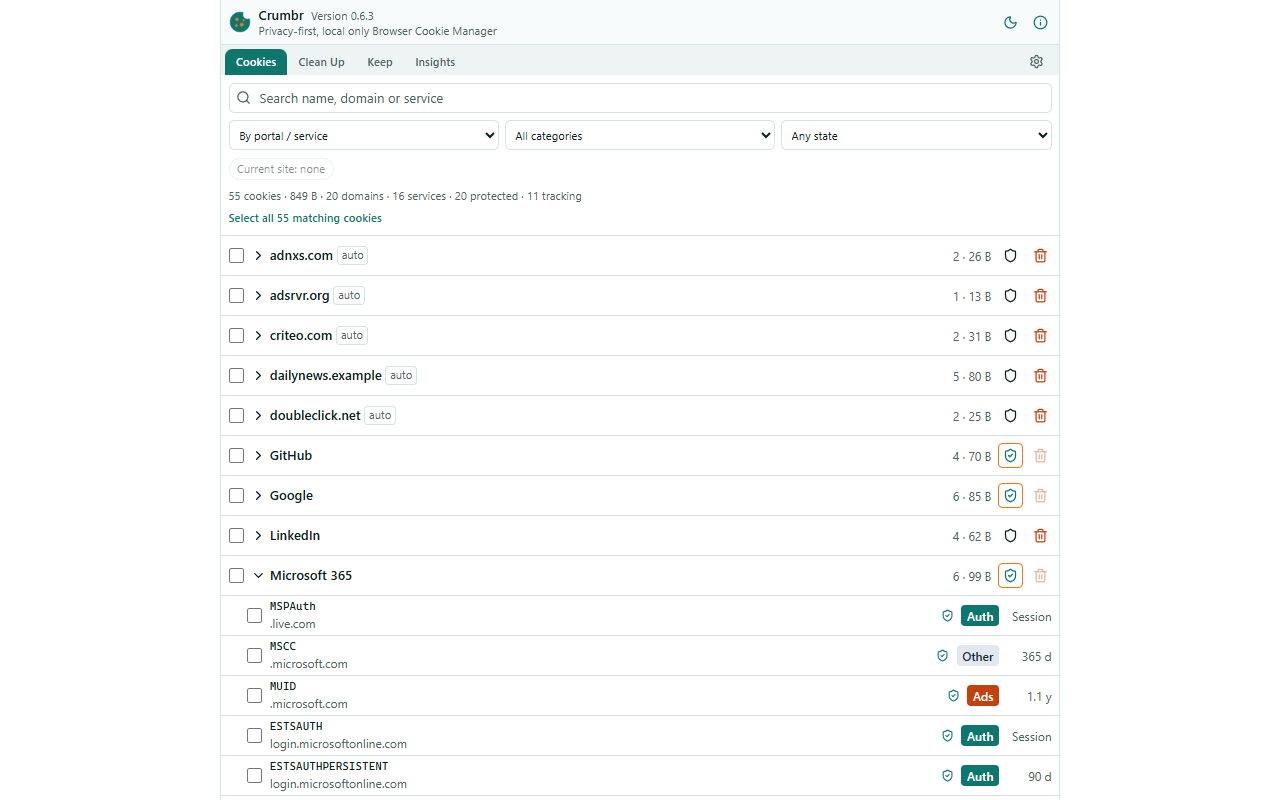
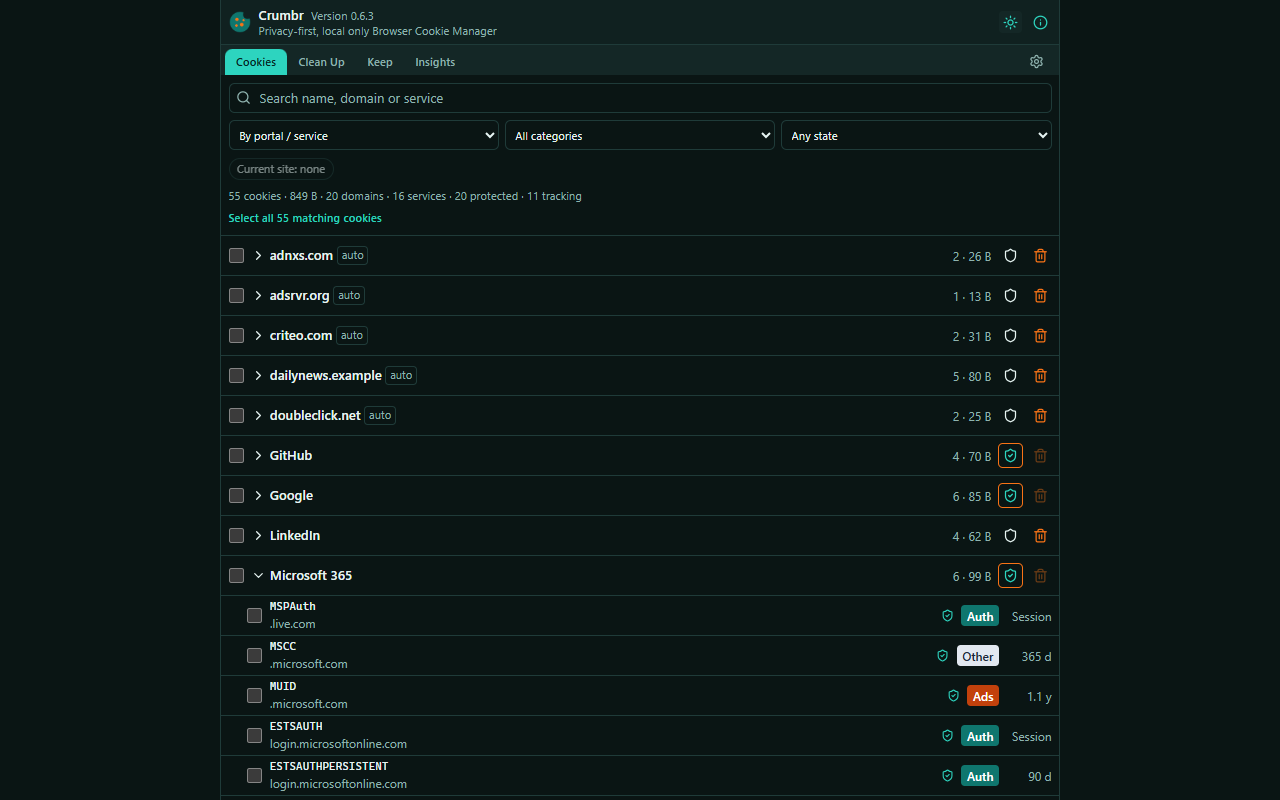
Browsers clear cookies by time range, which is blunt: wiping the last four weeks to remove trackers also signs you out of everything you logged into last month. Crumbr works the way you think about the web. It groups your cookies into services such as Microsoft 365, Google or Netflix, including the several domains one login can span.
KEEP WHAT MATTERS
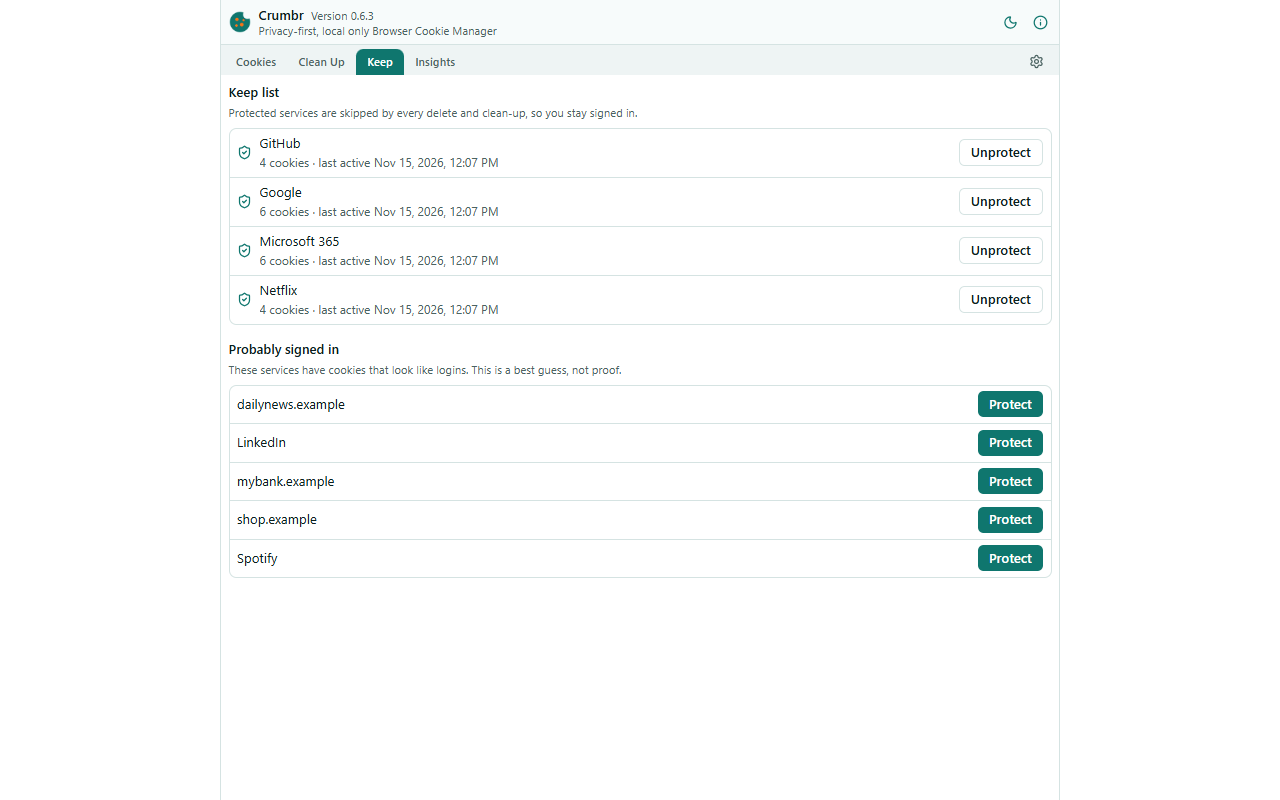
Put a service on the Keep list with one click. No delete or clean-up will ever touch it, so you stay signed in.
CLEAN UP SAFELY
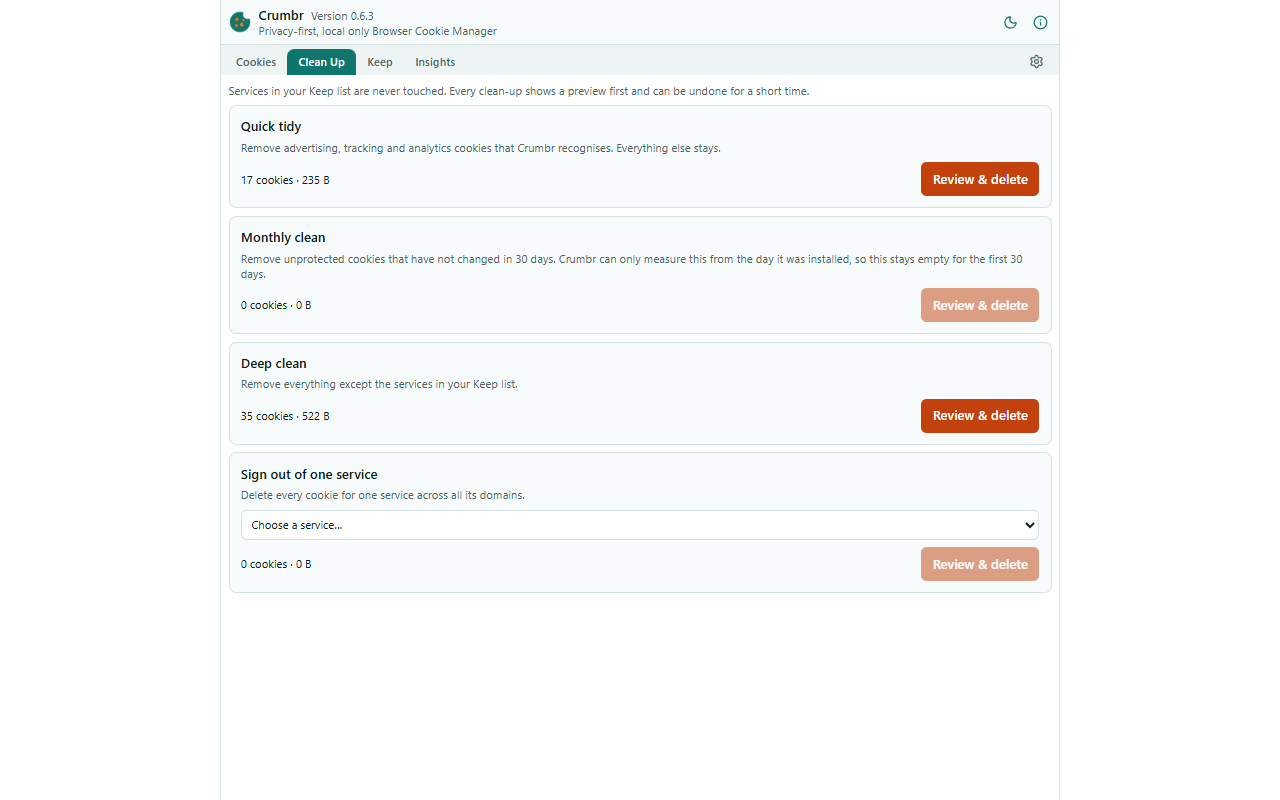
• Quick tidy: remove recognised advertising, tracking and analytics cookies
• Monthly clean: remove unprotected cookies that have not changed in 30 days
• Deep clean: remove everything outside your Keep list
• Sign out of one service across all its domains
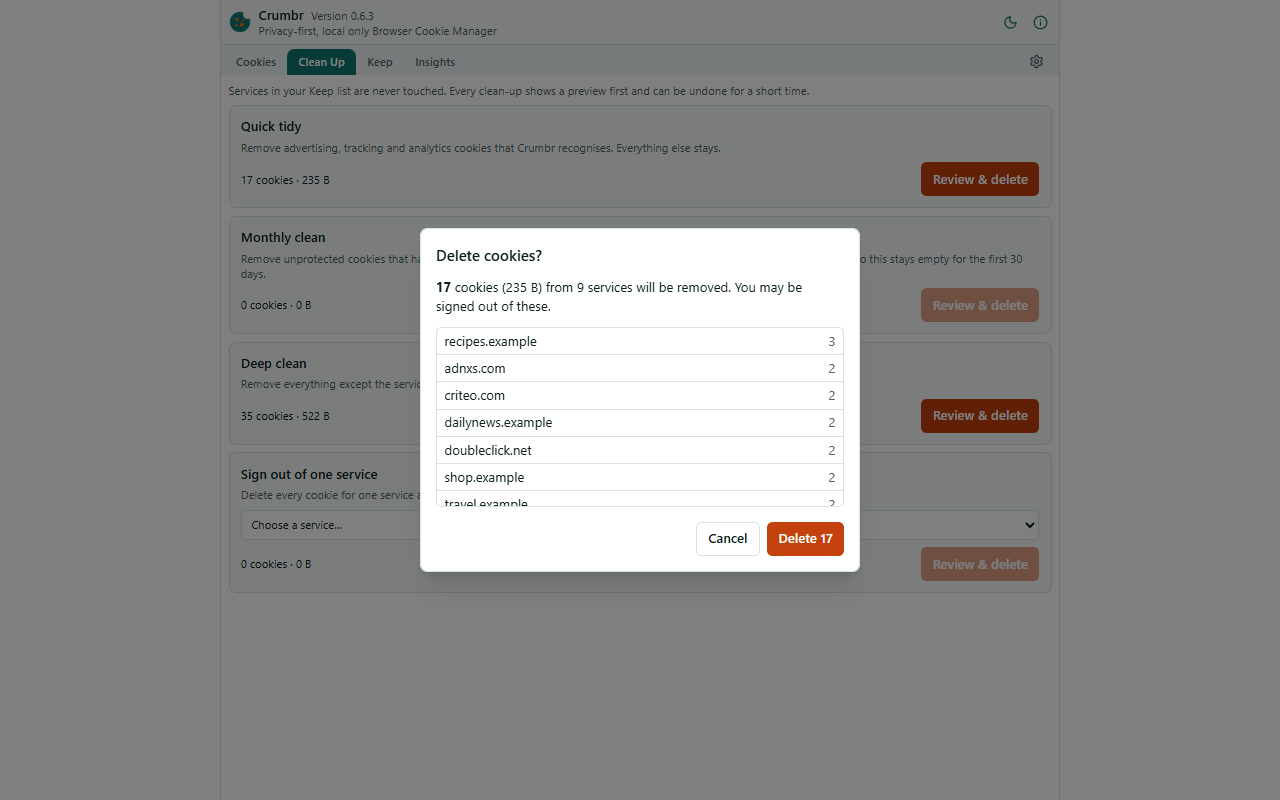
Every deletion shows a preview first, is verified afterwards, and can be undone for a short, configurable time.
UNDERSTAND WHAT IS STORED
• Group by service, domain, category, first seen, last activity, expiry or store
• Each cookie is labelled as authentication, preferences, analytics, advertising, security or unknown, with the reason shown
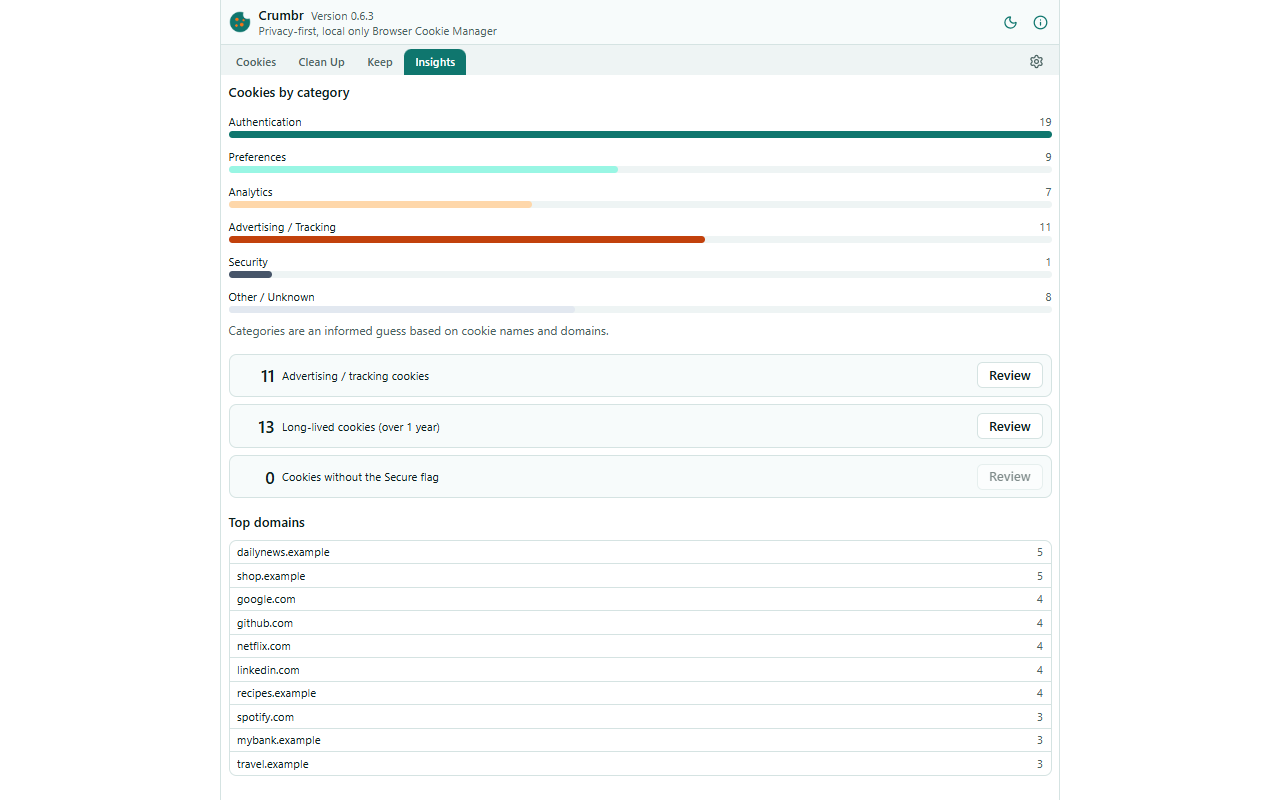
• Insights highlight trackers, long-lived cookies and cookies missing the Secure flag
• Search, filters and a "current site" view
• Cookie values stay hidden until you choose to reveal them
• Light and dark themes, and Crumbr remembers how you left it
BUILT FOR PRIVACY
• 100% local: no accounts, no telemetry, no network requests
• Cookie values are never saved
• No code is injected into web pages
• A built-in user guide explains every screen
WHY IT NEEDS ACCESS TO ALL SITES
Browsers only show a site's cookies to extensions allowed to access that site, so a cookie manager needs access to all sites to list and delete your cookies. Crumbr does not read page content and sends nothing off your device.
GOOD TO KNOW
• Browsers do not record when a cookie was created, so Crumbr's dates start on the day you install it.
• Deleting cookies can sign you out of sites. Undo is best effort and reports exactly how many cookies were restored.
• Categories are estimates based on cookie names and domains.
• Crumbr cleans up cookies after they are set. It is not an ad or tracker blocker.
Features
Private by design
- 100% local: no accounts, no telemetry, no network requests
- Cookie values are never saved, and no code is injected into web pages
Everyday use
- Opens in the side panel, or in a full tab with
Alt+Shift+C - Remembers your settings, Keep list, your services, grouping and expanded groups
- Light and dark themes, with a one-click toggle in the header
- Built-in user guide, opened from the header; installed version shown beside the name
- Opens in the side panel, or in a full tab with
Understand
- Offline cookie classification with the reason shown
- Insights: category breakdown, top domains, trackers, long-lived and non-Secure cookies
Supported platforms
Frequently asked questions
Which browsers can I install it in?
Use the Edge or Firefox store button above to install Crumbr.
Which platforms support Crumbr?
Chrome, Edge, Firefox.
How much does Crumbr cost?
Free